How to connect Google Calendar to WhatsApp for appointment reminders
Whether you run a medical clinic, a beauty salon, a consulting firm, or any appointment-based business, connecting Google Calendar to WhatsApp reminders can make a real difference in how you manage scheduling.
Sending reminders for your Google Calendar events through WhatsApp reduces no-shows and gives your clients a better experience. Below, we cover the benefits, available tools, and how to set this up.
Benefits of integrating Google Calendar with WhatsApp
Connecting WhatsApp to Google Calendar offers practical advantages for managing your appointments:
Prevent forgotten appointments
When your clients receive a personalized message directly through WhatsApp, they keep their appointment top of mind. They can confirm attendance or reschedule in advance if needed.
Save time and effort
No more hours spent calling each client to confirm their appointments. Automatic reminders free your team from this repetitive task so they can focus on work that actually needs their attention.
Improve your client experience
Receiving a reminder through WhatsApp feels like quality service. Clients can confirm, cancel, or reschedule directly from the chat with a simple message, which makes things easier for everyone.
Reduce no-shows
Missed appointments are one of the biggest challenges for any appointment-based business. A WhatsApp reminder system can reduce no-shows by up to 70%, which means higher productivity and less revenue lost to empty time slots.
Options for connecting Google Calendar to WhatsApp
There are several ways to connect Google Calendar to WhatsApp. Each has its own strengths and trade-offs:
1. Browser extensions: Eazybe
Extensions like Eazybe work directly from your Chrome browser and let you link your calendar with WhatsApp Web.
Advantages:
- Relatively simple setup
- No programming knowledge required
- Works directly from your browser
Limitations:
- Browser dependency (must be open to function)
- Limited message customization
- Requires WhatsApp Web to remain active
- Potential stability issues with browser updates
Who should use it? Small businesses with low-to-medium appointment volume looking for a basic solution without significant investment.
2. Automation with Zapier
Zapier is an automation platform that lets you connect Google Calendar with the WhatsApp Business API through "zaps" (automated workflows).
Advantages:
- Greater flexibility in setting up rules
- Ability to connect multiple applications
- Runs in the background without needing to keep the browser open
Limitations:
- Steeper learning curve
- Requires a paid subscription for advanced features
- More technical and less intuitive setup
- Requires access to the WhatsApp Business API, which adds complexity
- Requires familiarity with the Google Calendar API
Who should use it? Businesses with automation experience and more complex integration needs involving multiple platforms.
3. RicordamiApp: a purpose-built option
RicordamiApp was designed specifically to connect Google Calendar with WhatsApp for appointment reminders.
Advantages:
- Interface designed specifically for this use case
- Fully cloud-based (no browser or device dependency)
- Customizable templates for different types of reminders
- Automatic confirmations that update your calendar
- Statistics and tracking of confirmation/cancellation rates
- Multilingual support
- No technical knowledge required
Limitations:
- Paid service (free trial available)
Who should use it? Businesses that want a straightforward setup and don't want to deal with APIs or browser dependencies.
Of these three options, RicordamiApp is the most focused on this specific use case. If you want something working quickly without technical setup, it's worth considering.
Step-by-step guide: how to connect Google Calendar with WhatsApp using RicordamiApp
Setting up the connection between Google Calendar and WhatsApp with RicordamiApp takes a few minutes. Here are the steps:
1. Create a RicordamiApp account
Visit RicordamiApp.com and sign up with your email address. The process takes less than a minute.
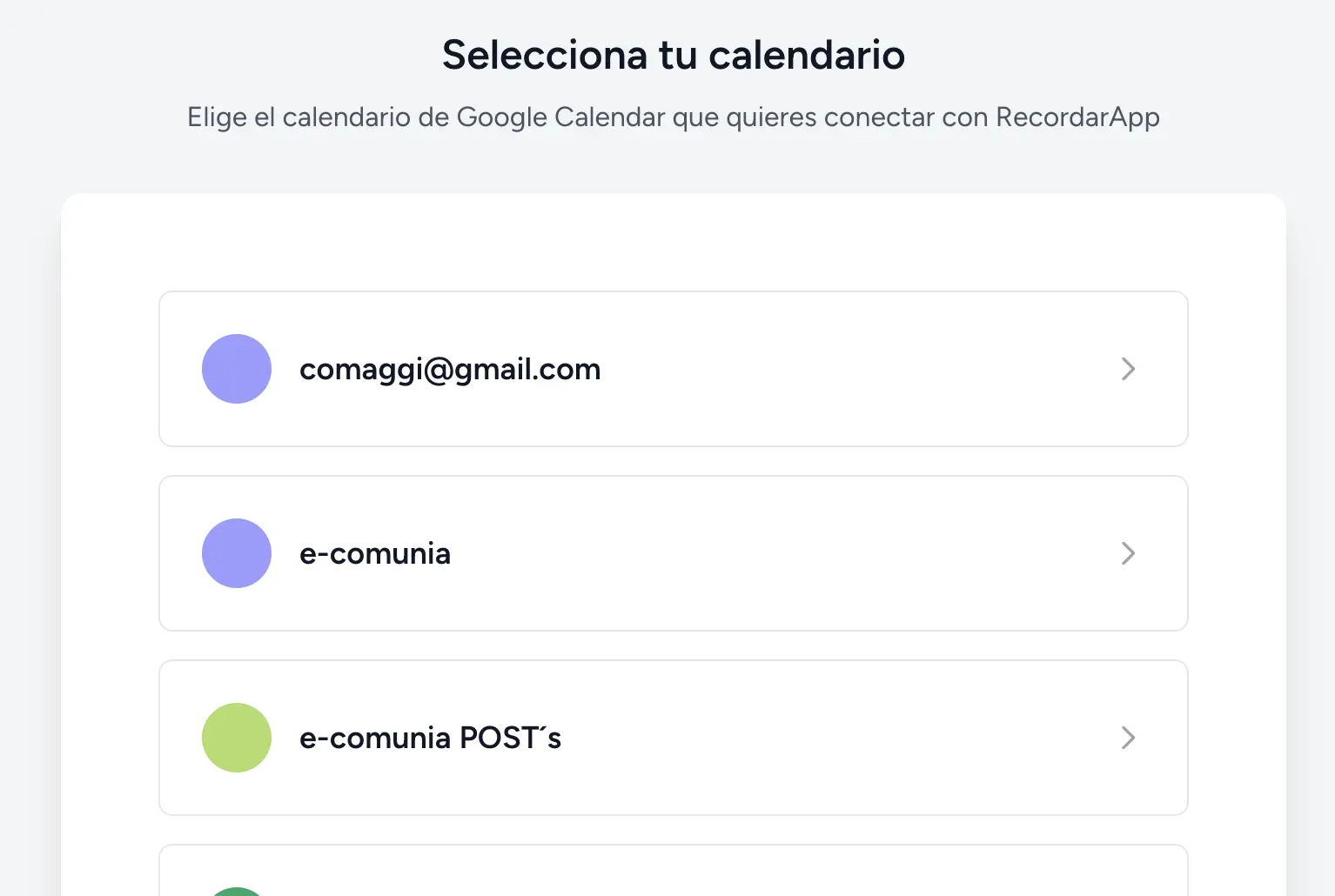
2. Connect your Google Calendar
To connect your calendar:
- Go to the "My Calendars" section
- Click "Connect Calendar"
- Authorize access by following the on-screen instructions
3. Add your business information and customize your messages
WhatsApp only allows sending pre-approved message templates, so RicordamiApp lets you configure:
- Your company name
- Your phone number
- The type of template you want to send, or create your own from scratch. If you need help with the wording, try our reminder message generator.
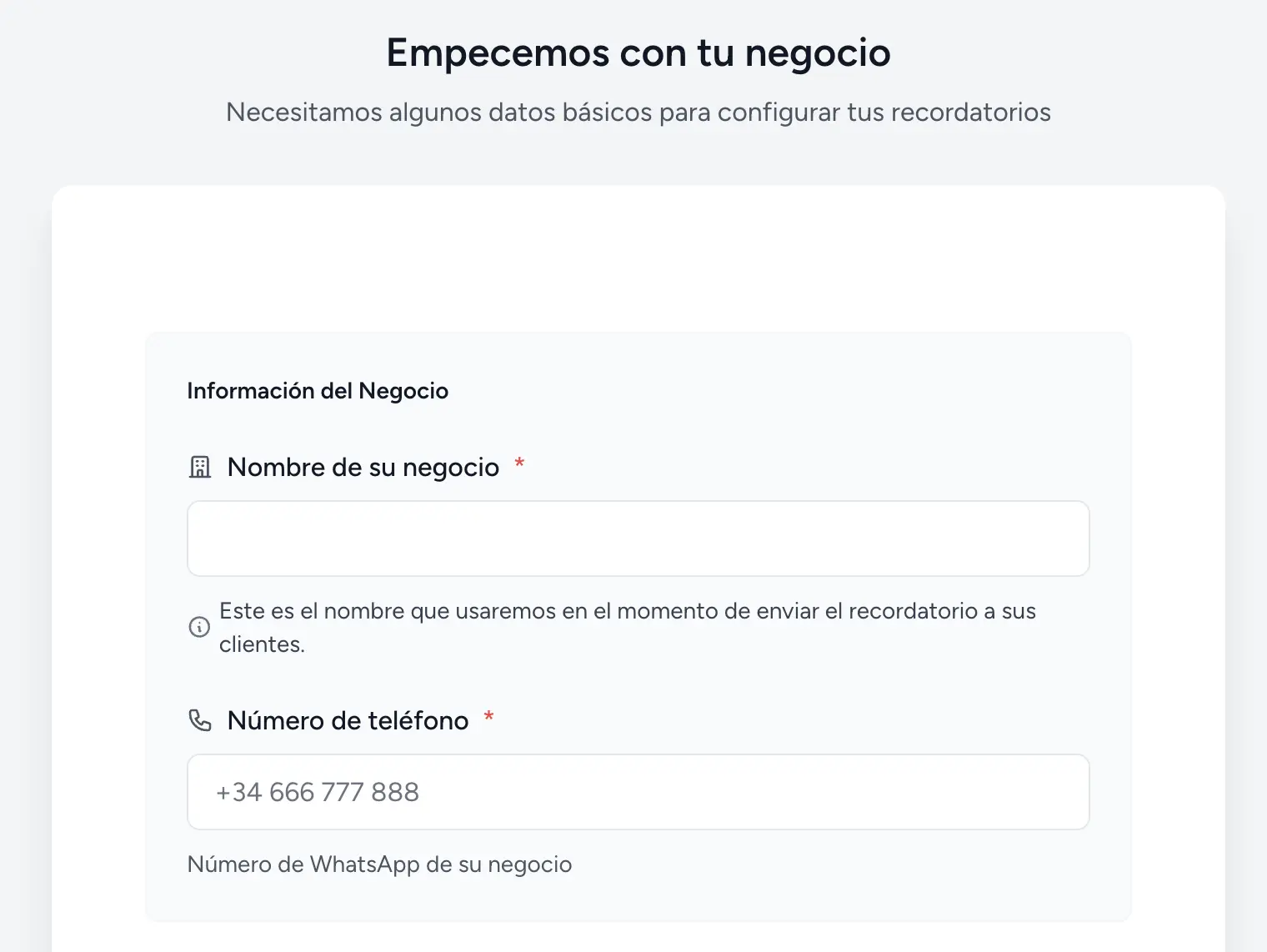
- Finally, select your Google Calendar
This information will be included in every message, so your clients see your business name and details each time.
4. Schedule appointments in Google Calendar with contact information
Once your calendar is connected, RicordamiApp will send attendance confirmations for your events.
For the system to work, include the client's WhatsApp number when creating each appointment:
- In Google Calendar, include the number in the event title or description using the format "WhatsApp: +1XXXXXXXXXX"
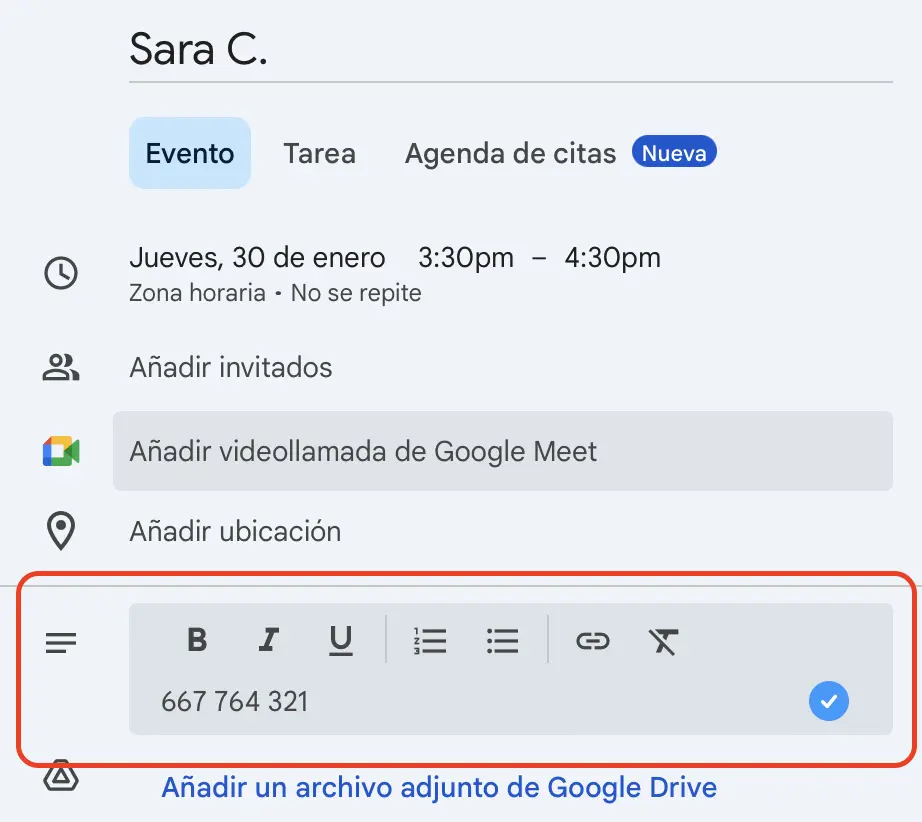
RicordamiApp will detect the numbers automatically and send messages on the schedule you've set (for example, 24 hours before the appointment).
5. Monitor your Google Calendar to see responses
When clients respond to the WhatsApp messages, several things happen:
- If the client confirms, RicordamiApp updates the event in your Google Calendar automatically (you can configure specific color codes)
- If they request rescheduling, you receive a notification and can manage the change directly
- If they cancel, the event is marked according to your preferences (deleted, given a specific color, etc.)
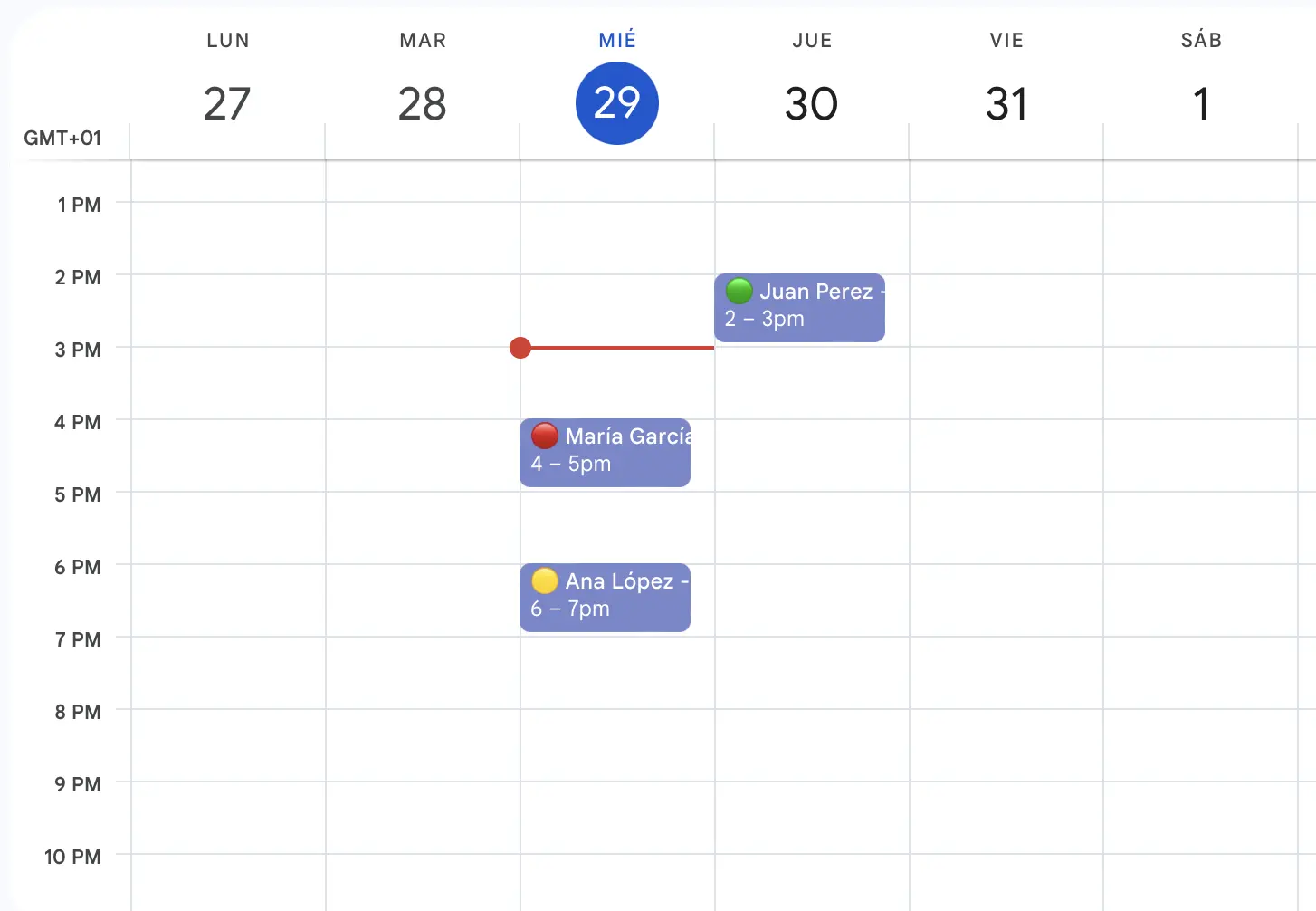
With these steps, you'll have an appointment management system that connects Google Calendar with WhatsApp, saves time, and reduces no-shows.
Wrapping up
Connecting Google Calendar with WhatsApp means fewer missed appointments, less time spent on phone confirmations, and a more professional experience for your clients.
If you want to try it, RicordamiApp offers a free trial so you can see how it works with your own calendar and clients.